Work planning
Plan, assign, and
follow up on the work.
A modern tool to plan schedules, assign tasks to the right worker, and follow up that the job gets done, with photos, notes, and clear reports.
Today's tasks
2 of 4 done- Snow clearing, Storgatan 12
- Anti-slip treatment, Torget
- Sanding, Parkvägen 4
- Inspection, Hamngatan
How it works
From plan to work done.
Schedules and journals
Plan recurring and scheduled work in structured journals, and import your customer list straight from Excel.
Tasks per worker
Assign the right task to the right person, and see at a glance what's done.
Photo and proof
Workers document completed work with photos and notes in the app.
Resettable lists
Reset a list for the next round in one click, without double work.
Year overview and reports
See the whole season per address in the year overview and download records as Excel.
Web and app
Workers use the mobile app, supervisors plan and follow up on the web.
Screenshots
See how work is planned and followed up.
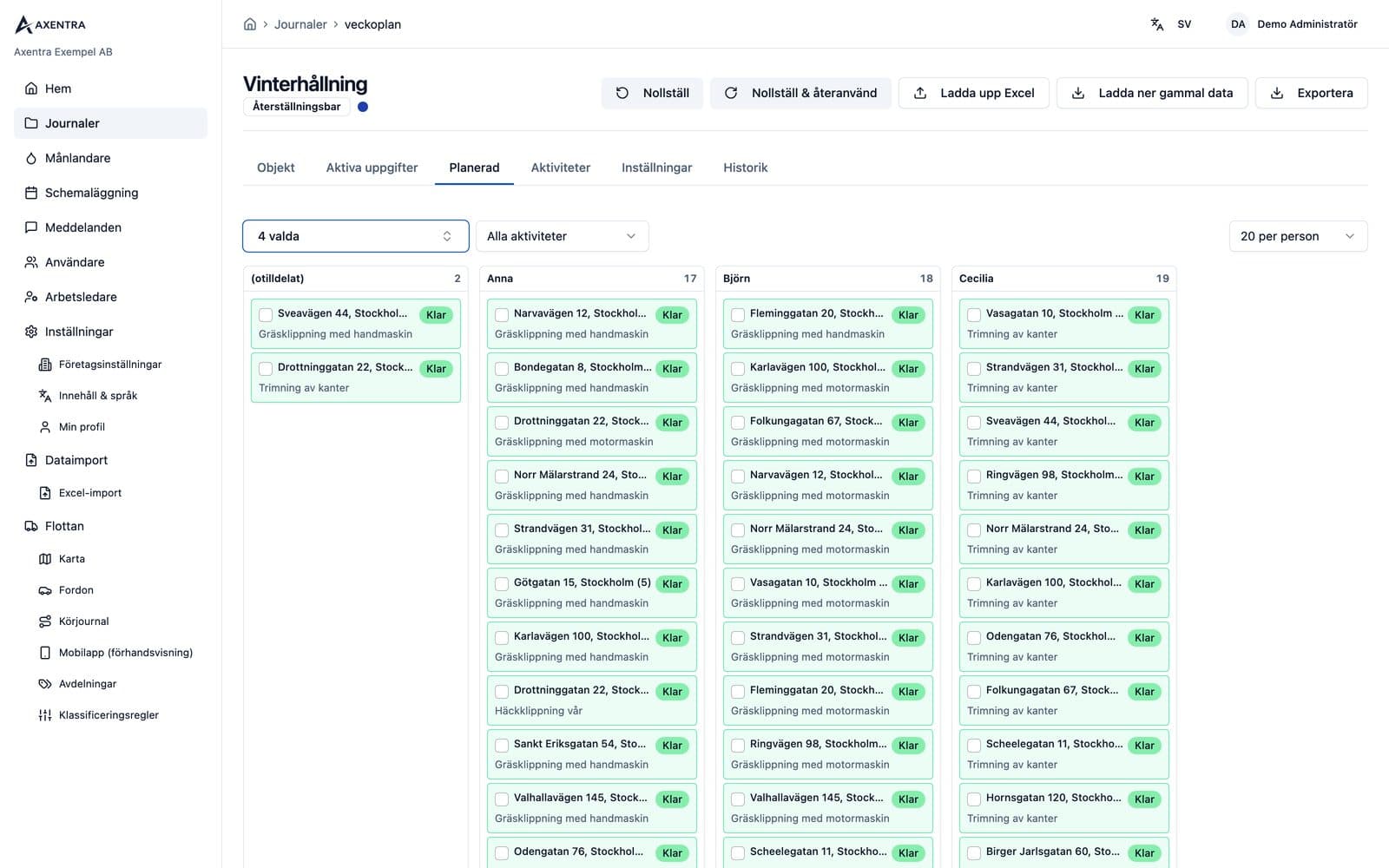
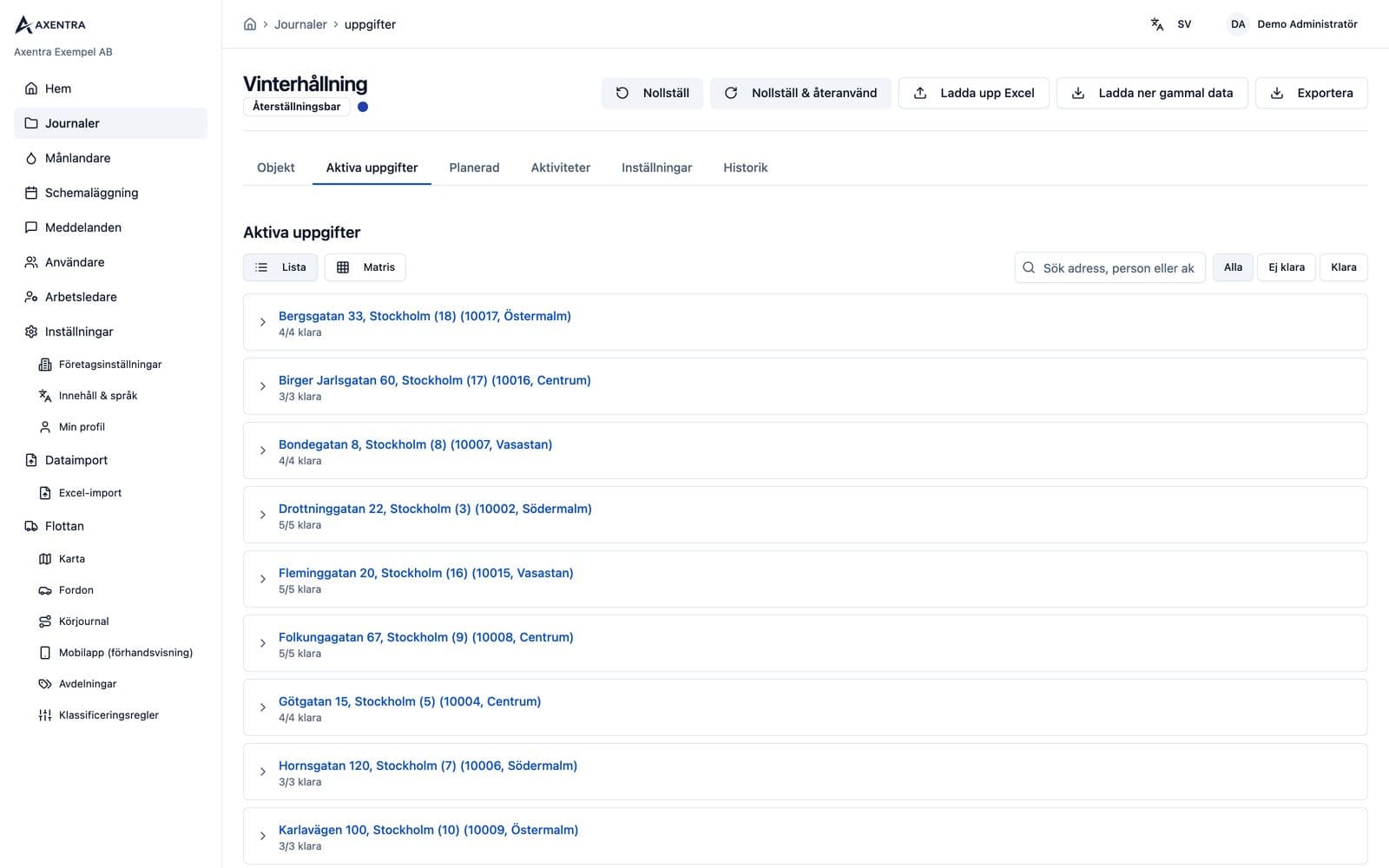
What types of work is work planning suited to?
Work planning suits recurring fieldwork such as snow clearing, ice control and gritting. Supervisors assign tasks per worker and address, and teams document completed work with photos and notes. Lists can be reused for the next round and the season reviewed in the annual overview.
Frequently asked questions
Can I import my customer list?
Yes. Import your customer list from Excel and plan recurring and scheduled work in structured journals.
How do workers document completed work?
Workers add photos and notes in the mobile app so the supervisor can see the documentation directly.
Can I reuse a list for the next round?
Yes. Reset the list with one click without duplicating work.
Can I get a report for the whole season?
Yes. The annual overview shows the season per address and you can download the records as Excel.
Do I also need the driving log?
No. Driving logs and work planning can be used separately or together.
Contact
Get a quote
Tell us how many vehicles you have and we will help you choose the right solution and prepare a clear quote.
Book a walkthrough